New accounts can start TradingView’s free trial of a paid plan, if TradingView offers it to you. TradingView decides how long it lasts.
Find your TradingView username (where to find it), add it above on this page, then press “Ask for access”.
On-time alerts need real-time Nasdaq futures data. On TradingView, click your profile picture → Account and billing (or Settings and billing) → Market data subscriptions and subscribe to the CME Group package (non-professional). A paid TradingView plan may be needed first.
Without the CME package, NQ and MNQ charts are delayed: a small “D” shows next to the symbol.
Then open a 1- or 5-minute NQ1! or MNQ1! chart.
TradingView’s menu names can change a little.
Optional and free: the indicator also works on a Nasdaq-100 CFD chart (for example NAS100 or US100 from a broker’s feed), which is real-time without the CME package. The indicator was tested on MNQ futures, and a CFD’s prices can differ a little.
Indicator
ShotaTrades
For TradingView · NQ / MNQ
It finds the course’s setups on your chart and draws the entry, the stop and the exits the moment a setup forms.
An invite-only script on TradingView. It does not trade for you.
Illustration
What it does
All fifteen setups of the course
Coreeight setups
New YorkABCE1E2E3
LondonL1L2
Plussix setups
A+L+B+C+E2+E3+
TTrend Runner, on its own
T
You choose Core, Plus or both.
Drawn the moment it forms
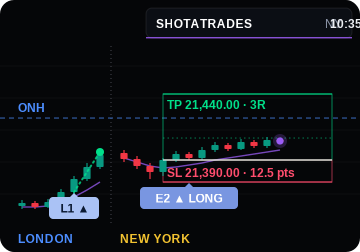
The entry, the stop and the exits appear on the chart as soon as a setup forms.
Alerts to your phone
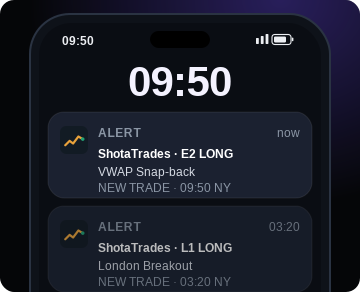
Every event can come as an alert. You need only one: “Any alert() function call”.
5-minute plan, New York time
The plan runs on 5-minute candles built from the chart’s 1-minute data. All times are New York time.
Last trades on the chart
The last trade is drawn in full, the ones before it small.
You stay in charge
It does not trade for you. You decide every trade, its size and its stop.
Tested on 12 months of MNQ, 1 Oct 2025 – 30 Sep 2026. Your own results can be different.
What it looks like
Illustrations, not real trades or prices.
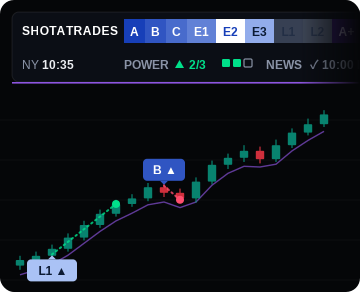
IllustrationThe bar at the top: New York time, the setups that can still come today, and the news.IllustrationAn alert on your phone when a setup forms (with live CME data).
How you get it
Register for freeOne account for the course and the indicator.
Get accessChoose a plan, or ask for access at the top of this page while it is by invitation.
We add your TradingView usernameUsually within 24 hours. We e-mail you when your access is active.
Open it on TradingViewIndicators → Invite-only scripts → ShotaTrades.
Plans
We could not load the plans.
By invitation for now
Payments are not open yet. For now we give the indicator by invitation.
ShotaTrades is an indicator: it finds the course's setups and sends alerts. It does not trade for you and guarantees nothing. Trading futures carries a high risk of loss. The 12-month results are tested results (1 Oct 2025 – 30 Sep 2026); your own results can be different. Nothing here is financial advice. You decide every trade, its size and its stop.